

I learn Power Platform faster when I build things I actually care about. This time, my escape-room obsession met Copilot agents, Dataverse, and the (much improved!) Plan Designer. It generated user requirements, data models, apps, and even an agent. However, the real key is to review the tables and relationships. You should do this before you let dependencies pile up.
Why I Build for Things I’d Actually Use
When I’m learning new Power Platform skills, I try to build purposeful things. I avoid creating a demo that “sells coffee machines” just for the sake of it. Most of my experiments live in my dev environment and never go live, but having a meaningful theme keeps me motivated and curious.
One of my hobbies (okay… obsessions) is escape rooms.
If you haven’t tried one, you should — I’m happy to recommend rooms I’ve completed. And if you love them too, drop a comment with your favourite room + location. I want a new list to tackle! I actually have one planned this weekend!

Linking an Agent to Dataverse
During mentoring sessions with Damien Bird (check out his YouTube Channel for so many great videos DamoBird365 – YouTube) , we discussed linking my agent to Dataverse data. We also discussed Plan Designer. I’d tried it before without much success, but I’d heard it had improved — so I decided to give it another go.
Second Attempt with Plan Designer: What Happened
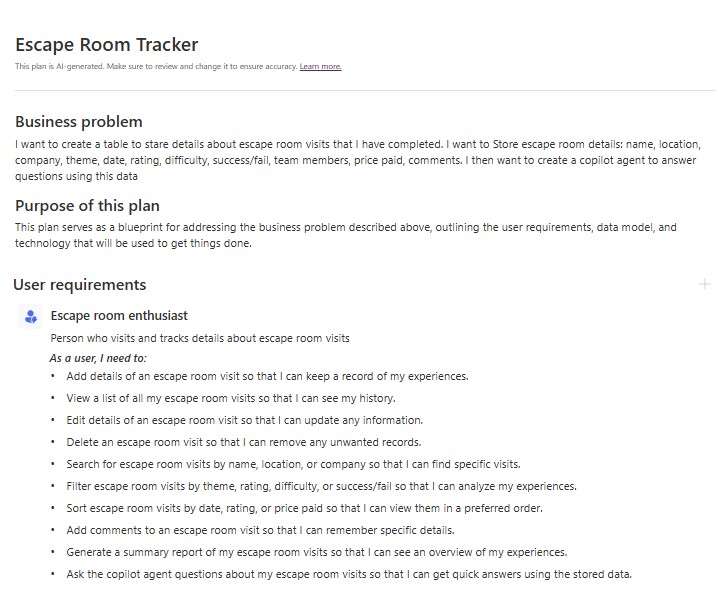
I described my business problem and let Plan Designer do its thing. In a few moments it produced:
- User requirements that were surprisingly close to what I had in mind.
- A proposed data model to get me moving faster.
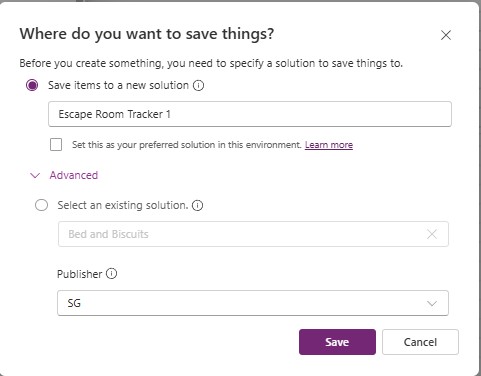
A small but very welcome update I noticed: you can now select your Publisher and Solution during generation. I love new updates!
What I Checked (Before Clicking “Create”)
- Entity names: clear, consistent, and meaningful change them before creating the table so internal names are correct.
- Primary columns: human-friendly names like “Puzzle Name” rather than “Name”.
- Lookups: confirm relationship and direction make sense.
- Choice fields: tighten options to what you’ll actually use.
- Add any additional columns needed before creating the tables
My top tip: Plan Designer generated me 5 rows of sample data. Sometimes it seems possible to add more sample data in when you are editing the tables and sometimes not. You can use Copilot or ChatGPT to create a large CSV file of data to import.
What Else Did Plan Designer Create?
Here’s where things got even more interesting…
🎨 Canvas App
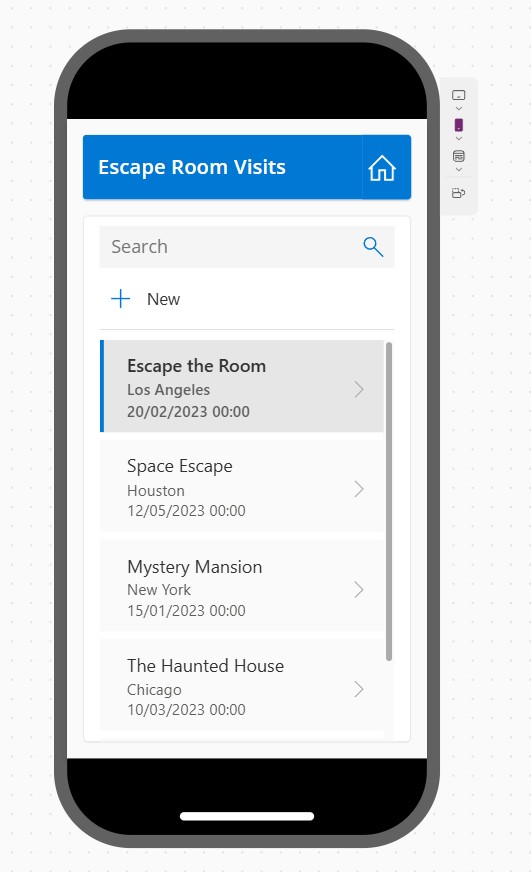
Plan designer automatically created a canvas app.
At first glance, it looks like your standard autogenerated app. Nothing flashy — but when I peeked inside, I was impressed.
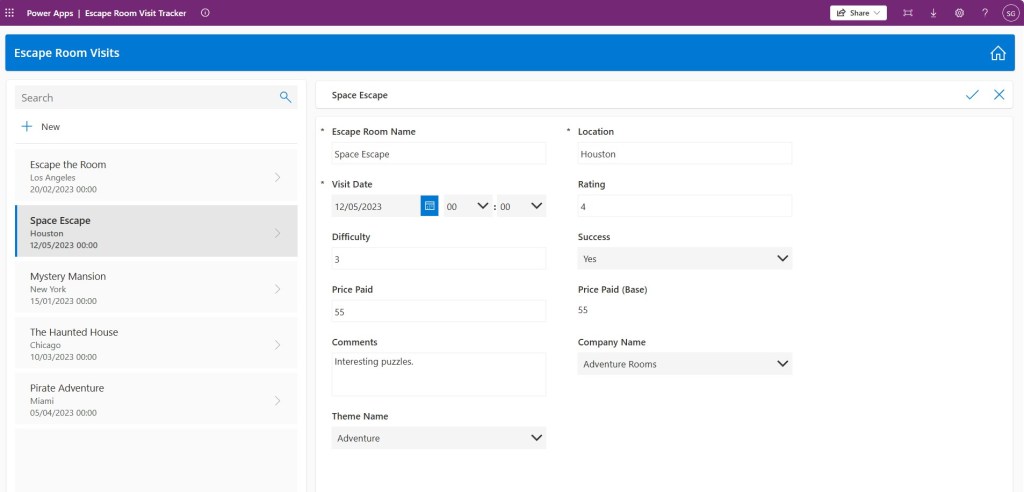
Within about a minute, it had:
- Built four responsive screens,
- Structured them neatly with containers, and
- Made it work seamlessly on both desktop and mobile.
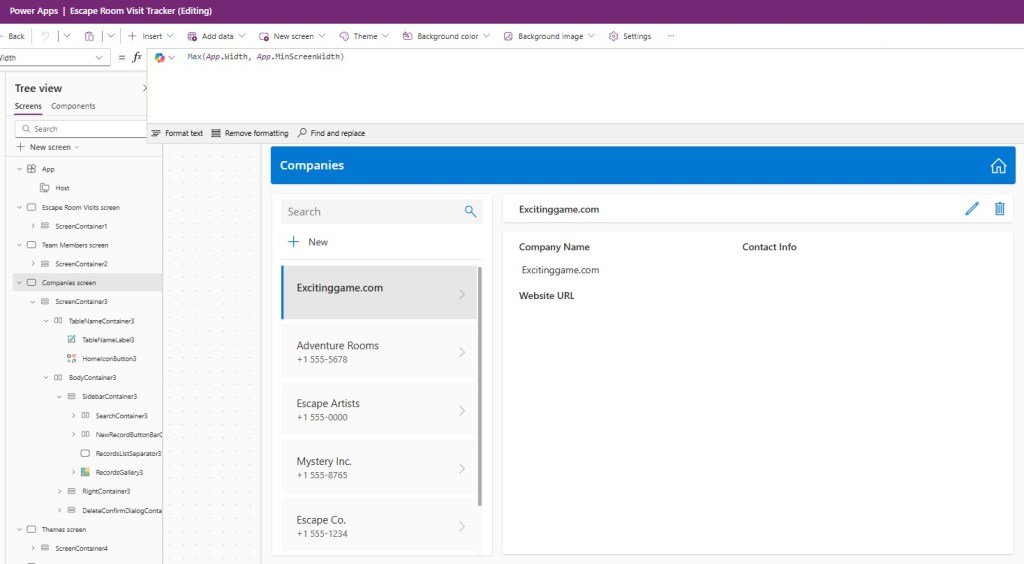
So while it’s not the most beautiful app, it’s a great starting point that proves the responsiveness foundations are now handled really well.
🧭 Model-Driven App
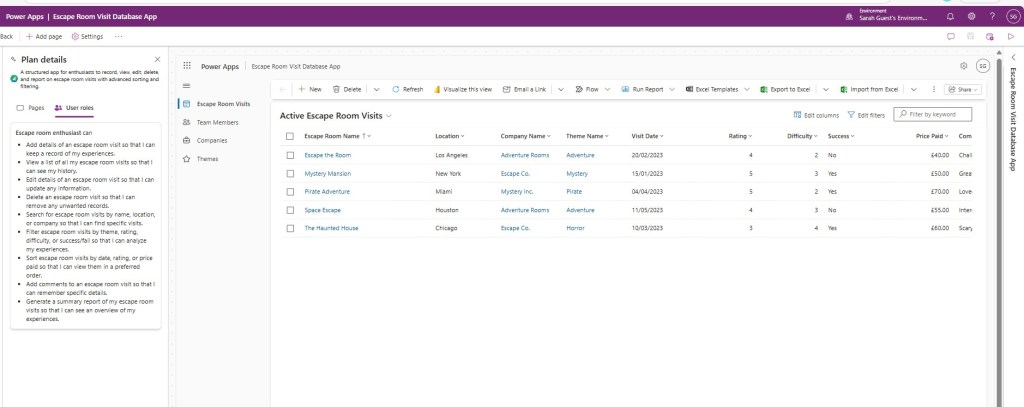
It also quickly built a model-driven app — explaining with defined user roles and a tidy navigation that included updated icons. It feels clean, usable, and gives you a quick view of the data.
📊 The Curious Case of Power BI
Here’s the odd bit — Plan designer suggested a Power BI report as part of the solution, but didn’t actually let me create it.
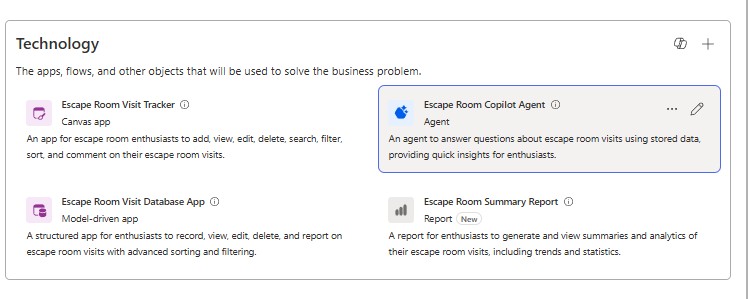
As a self-confessed Power BI nerd, this definitely caught my attention. It’s almost like the platform is teasing what’s coming next. Fingers crossed this feature will be added soon because the potential to generate a matching Power BI report automatically would be huge. Has anyone been able to get this to work yet?
(Sneak peek: I’ve got an upcoming blog post diving into AI-generated reports and Project Sophia, so keep an eye out for that one!)
🤖 Copilot Studio Agent
Finally, Plan designer even created a Copilot Studio agent for me.
Was it any good?
Could it read the Dataverse data properly?
Well… that’s a story for my next blog post. In it, I’ll dig into how the generated agent performed. I will also explore whether I had to change any of the configuration.
Over to You
- Got a favourite escape room? Tell me the name + city in the comments — I’m collecting recommendations!
- Tried Plan designer recently? What did it generate for you — and did you keep any of it?

Leave a comment